--network-plugin none enables Bring Your Own CNI (BYOCNI); AKS does not install Azure CNI or kubenet.
You must provide a pod CIDR, service CIDR, and DNS service IP, and make sure these ranges do not overlap with other networks in your environment.
After the cluster is created, get credentials:
					az aks get-credentials \
--resource-group rg-aks-cilium-demo \
--name aks-cilium-demo \
--overwrite-existing
AKS Nodes "NotReady" - no CNI
Adding Cilium Helm Repository
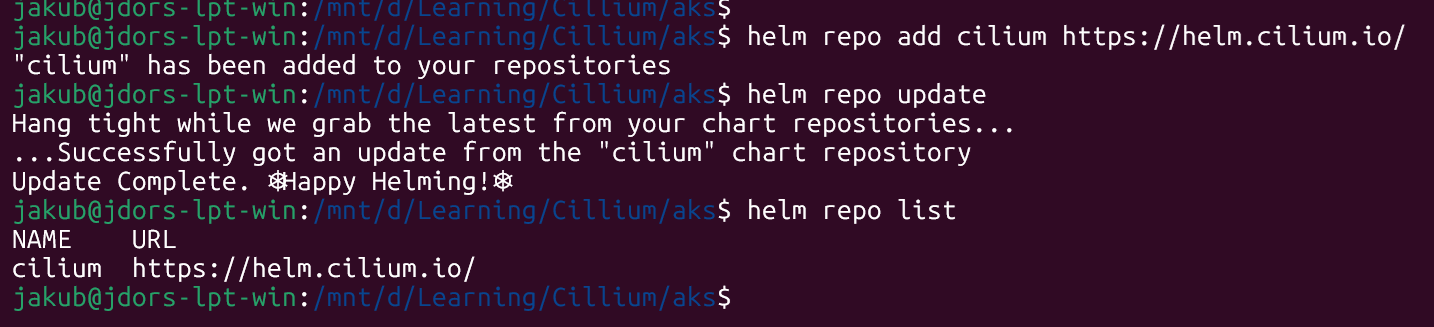
Add the official Cilium Helm repository and update it:
Add Cilium Helm Repository
List the available version:
List Cilium Helm version
Cilium Installation
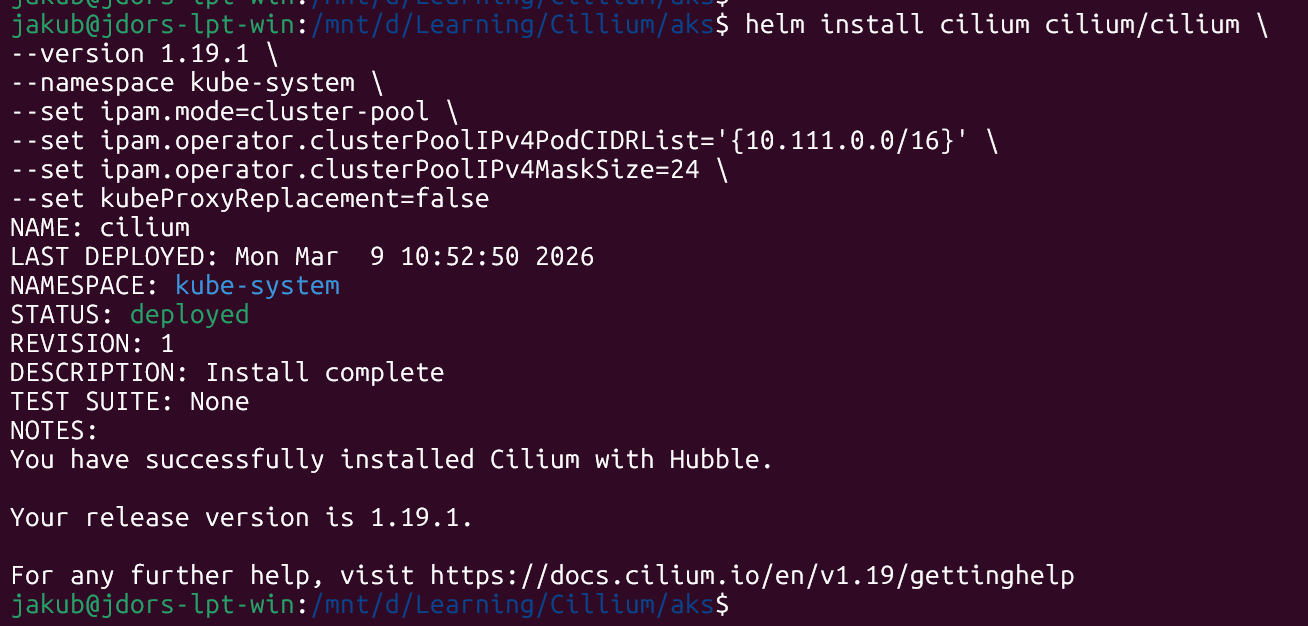
On BYOCNI you are responsible for pod IPAM, routing, and tunnel mode. AKS only uses the pod-cidr for control‑plane‑to‑pod routing. A typical Helm installation for Cilium as the primary CNI on AKS BYOCNI might look like this:
After installation, nodes should become Ready and core system pods such as CoreDNS should start running.
Verification
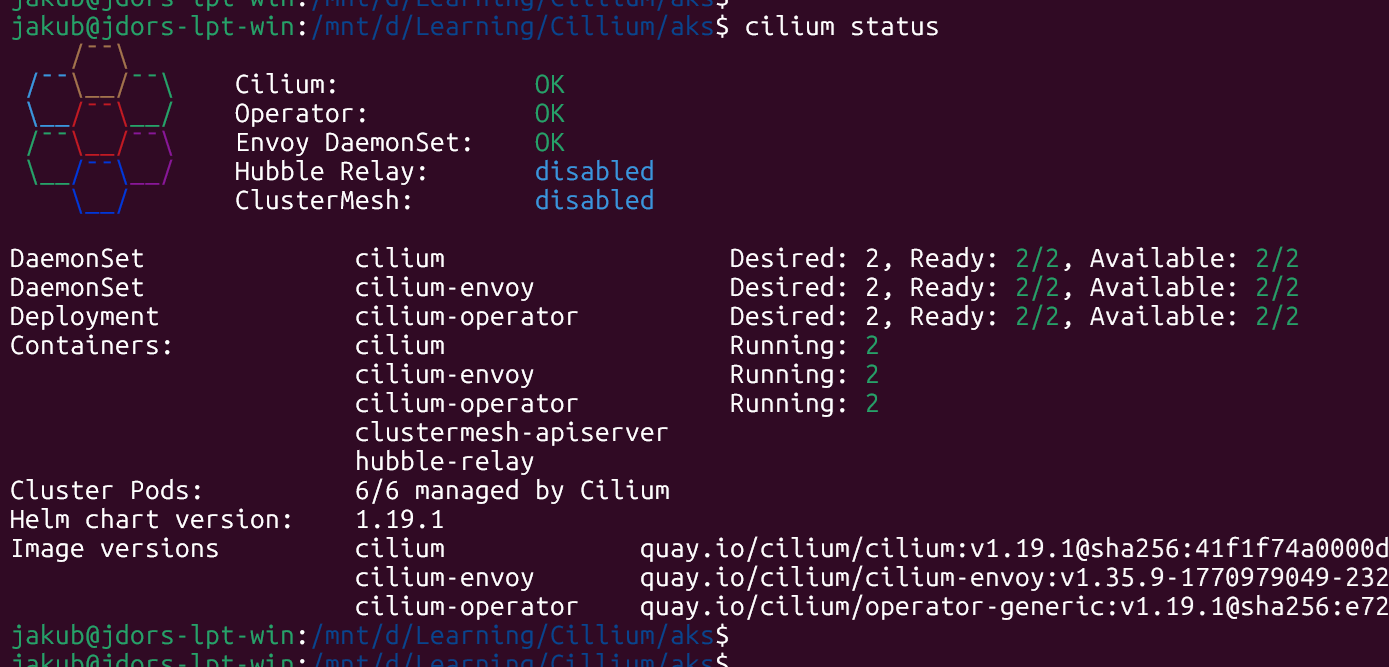
Cilium Status:
Cilium Status
Nodes are “Ready”:
AKS Nodes "Ready" with Cilium CNI
Cilium Pods have been created:
Cilium Pods
Conclusions
This guide demonstrates installing Cilium on an AKS BYOCNI cluster using Helm as the primary deployment method. Key steps include adding the Cilium Helm repository, configuring cluster‑pool IPAM with your pod CIDR (10.111.0.0/16) and setting kubeProxyReplacement=false to align with AKS defaults.