In my previous post I walked through deploying Cilium as the CNI on Azure Kubernetes Service (AKS) and wiring up a simple L7 CiliumNetworkPolicy to control HTTP traffic between pods. That gave us powerful enforcement, but only a limited view into why certain requests were allowed or denied. In this article we’ll focus on the observability side: how to get rich L7 visibility using Hubble (both from the CLI and the web UI).
Table of Contents
Before you start with Hubble
Before you start with Hubble, make sure you have the following in place:
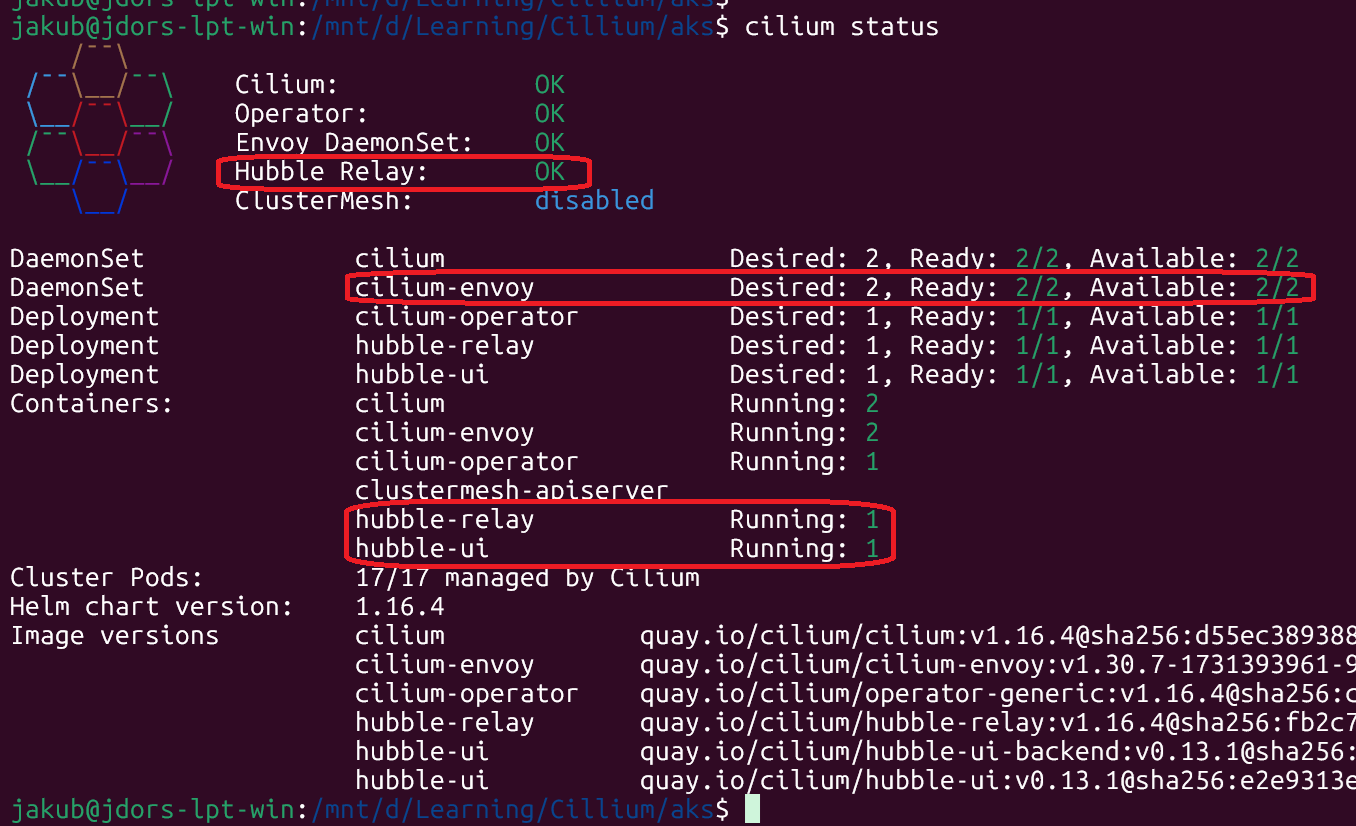
Cilium installed and in OK state (cilium status)
kubectl binary installed
az CLI configured and az aks get-credentials executed so kubectl get nodes works
cilium CLI installed
Hubble Installation
The Cilium CLI can talk to Hubble Relay, but for richer queries I also installed the standalone Hubble CLI:
					cd ~
curl -fsSLO https://github.com/cilium/hubble/releases/latest/download/hubble-linux-amd64.tar.gz

tar xzf hubble-linux-amd64.tar.gz

sudo mv hubble /usr/local/bin/hubble
sudo chmod +x /usr/local/bin/hubble
rm hubble-linux-amd64.tar.gz

hubble version

cilium status
Hubble version
Cilium Status
Deploying PODs and Cilium L7 Network Policy
Let’s deploy two Pods within the l7-pods namespace:
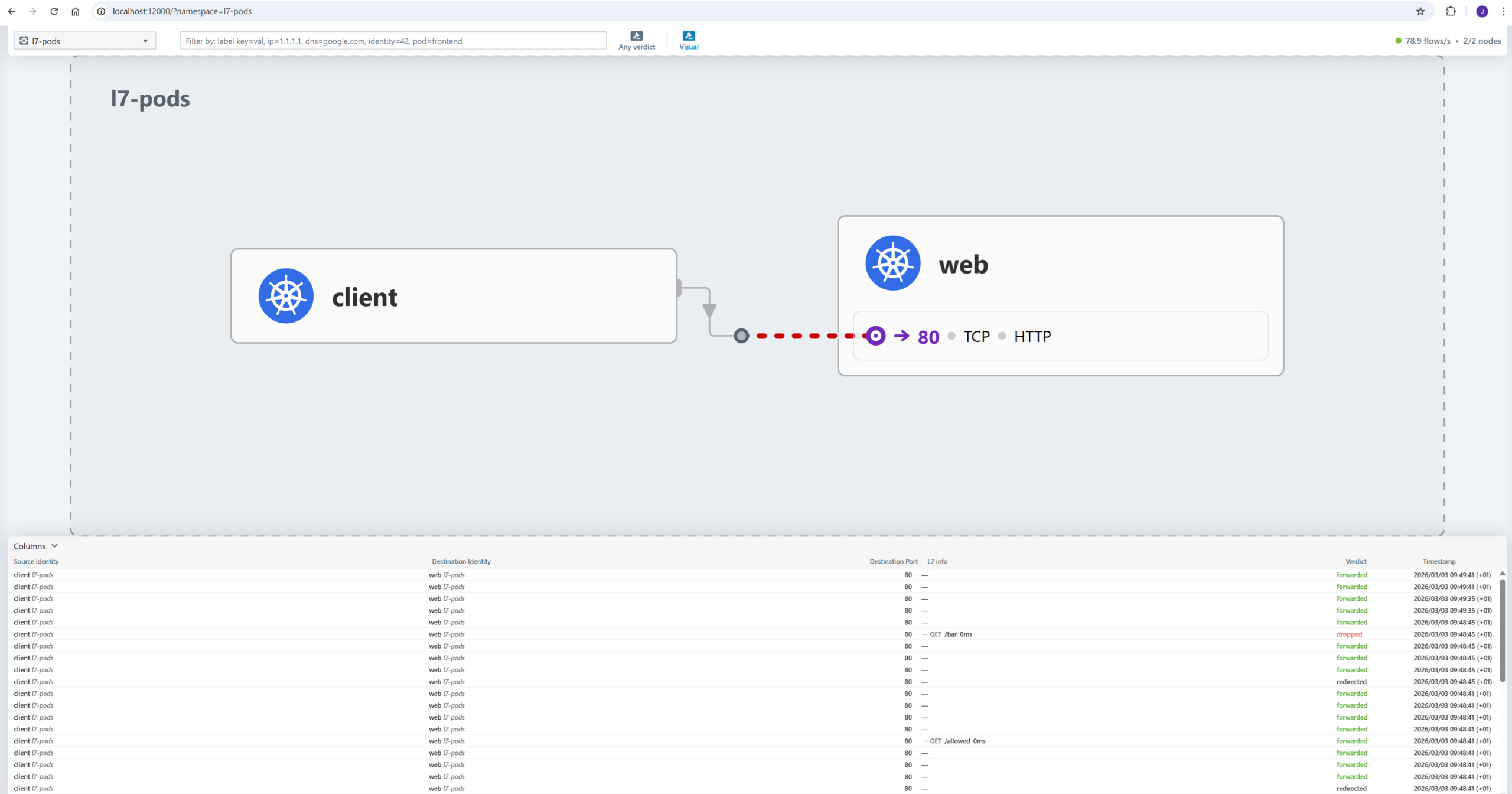
Now open your browser and inspect flows in the UI:
http://localhost:12000
The UI gives you a rich view: timeline, verdict, source and destination information (labels, IP, Cilium endpoint ID), and more.
Hubble UI Test
Summary
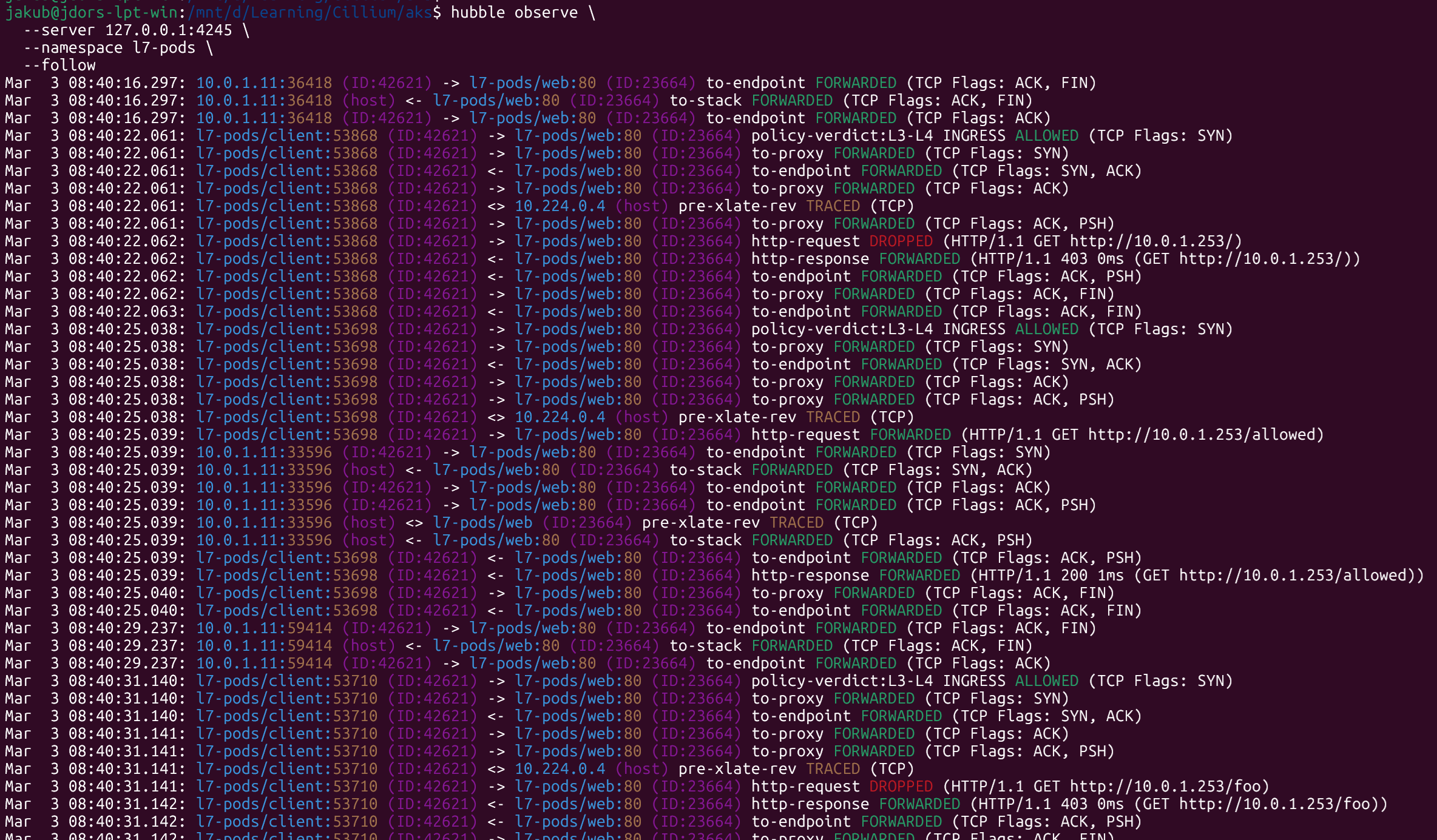
Cilium extends Kubernetes NetworkPolicy with L7‑aware policies, so you can define intent like “allow only GET /public” instead of just “allow port 80,” significantly strengthening zero‑trust security boundaries.
Hubble complements this by giving rich L7 observability (HTTP methods, paths, status codes, and verdicts) so you can immediately see which requests are allowed or denied.