and enable its eBPF‑based kube‑proxy replacement so that Cilium handles all Kubernetes Service traffic, including ClusterIP and NodePort.
We will then deploy a simple nginx application and expose it via NodePort and Kind’s port mappings, effectively simulating a LoadBalancer from the outside world.
Table of Contents
Prerequisites
You should already have:
An AWS EC2 instance (Ubuntu 24.04 LTS recommended) with Docker, kubectl, and Kind installed.
A running Kind cluster created with default CNI disabled
After KIND installation
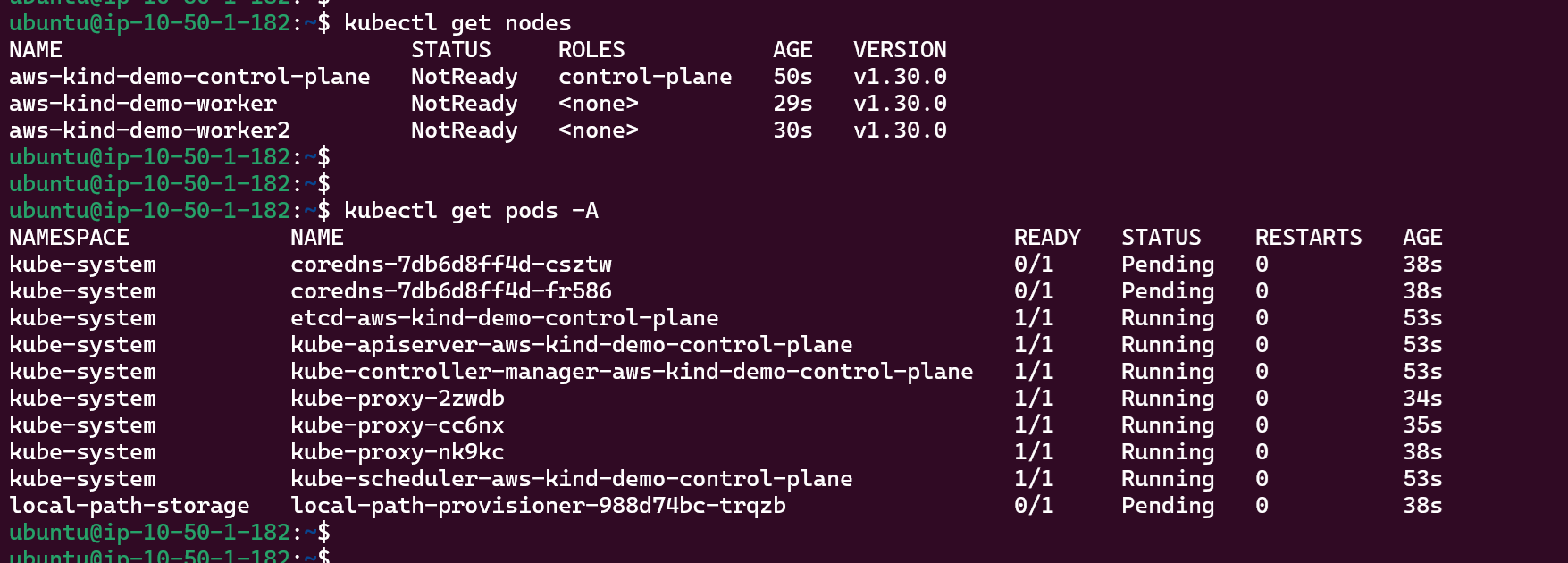
Right now, my Kind cluster on EC2 is up, but all nodes are in NotReady and several system pods are stuck in Pending. The core control-plane components and kube-proxy are running, but both coredns and the local-path-provisioner remain Pending because there is no CNI plugin installed yet. This is the exact starting point from which we will remove kube-proxy, install Cilium as the CNI, and enable its kube-proxy replacement.
Kube-Proxy Removal
Cilium’s kube‑proxy replacement expects kube‑proxy to be absent, otherwise you have two components trying to program Service rules. Kind deploys kube‑proxy by default, so we must remove its DaemonSet.
					kubectl -n kube-system get ds kube-proxy
kubectl -n kube-system get pods -l k8s-app=kube-proxy -o wide
Kube-Proxy DaemonSet
Delete the DaemonSet:
kubectl -n kube-system delete ds kube-proxy
Kube-Proxy Removal
On a “real” bare‑metal cluster you would also need to clean up kube‑proxy’s iptables rules, but in Kind these rules are isolated to the containerized nodes and will be overwritten when Cilium programs its own eBPF datapath.
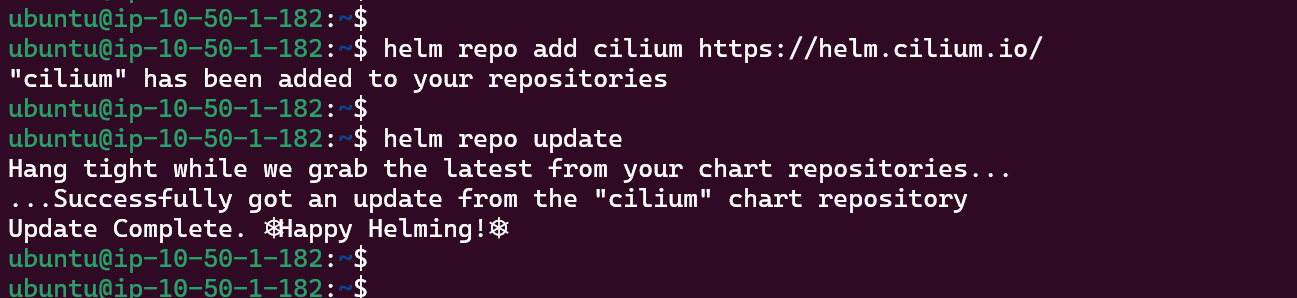
Cilium Helm Repo Installation
We will use Helm to install Cilium and explicitly enable kube‑proxy replacement.
Helm installation:
					HELM_VERSION=v3.15.0

curl -LO https://get.helm.sh/helm-${HELM_VERSION}-linux-amd64.tar.gz
tar -xzf helm-${HELM_VERSION}-linux-amd64.tar.gz
sudo mv linux-amd64/helm /usr/local/bin/helm
rm -rf linux-amd64 helm-${HELM_VERSION}-linux-amd64.tar.gz

helm version
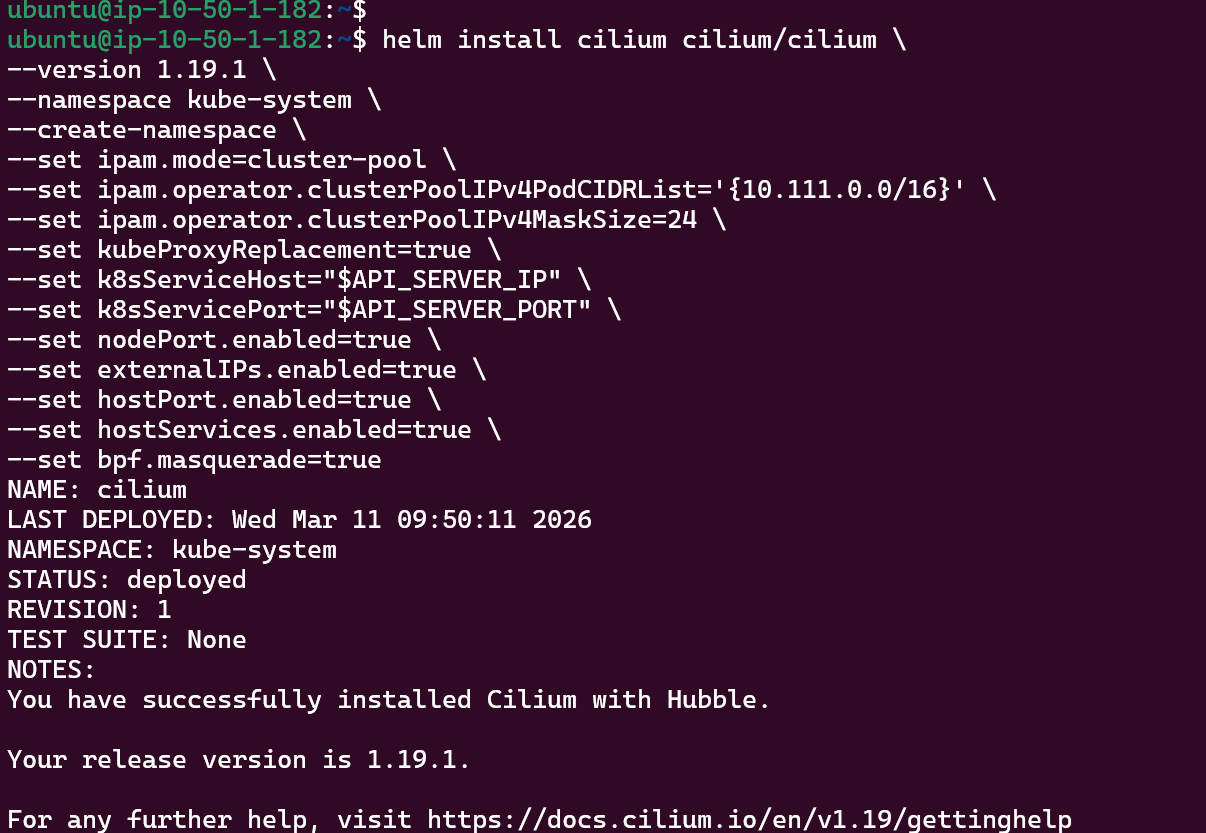
ipam.mode=cluster-pool with clusterPoolIPv4PodCIDRList matches the pod subnet configured in Kind.
kubeProxyReplacement=true activates Cilium’s eBPF‑based implementation of Service load balancing.
k8sServiceHost and k8sServicePort tell Cilium where to reach the API server without relying on kube‑proxy.
nodePort.enabled=true enables NodePort support in Cilium.
bpf.masquerade=true allows Cilium to perform BPF‑based masquerading for traffic leaving the cluster.
In a real production environment, you would typically use type: LoadBalancer Services backed by Cilium’s native load balancer integration, which requires additional configuration such as defining CiliumLoadBalancerIPPool resources and, optionally, BGP or L2 announcement to advertise those IPs externally. This article focuses on a simpler lab setup where we simulate a LoadBalancer using a Cilium‑backed NodePort Service combined with Kind’s host port mappings on the EC2 instance.
Cilium Installation
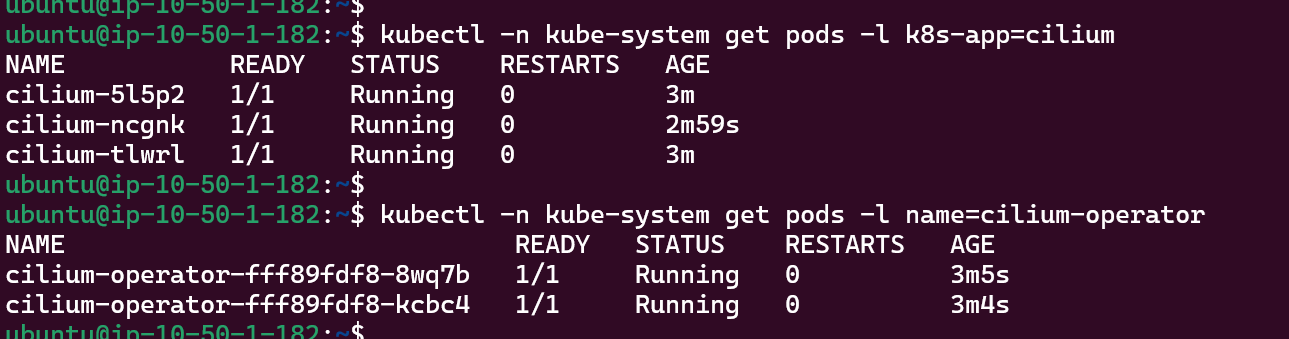
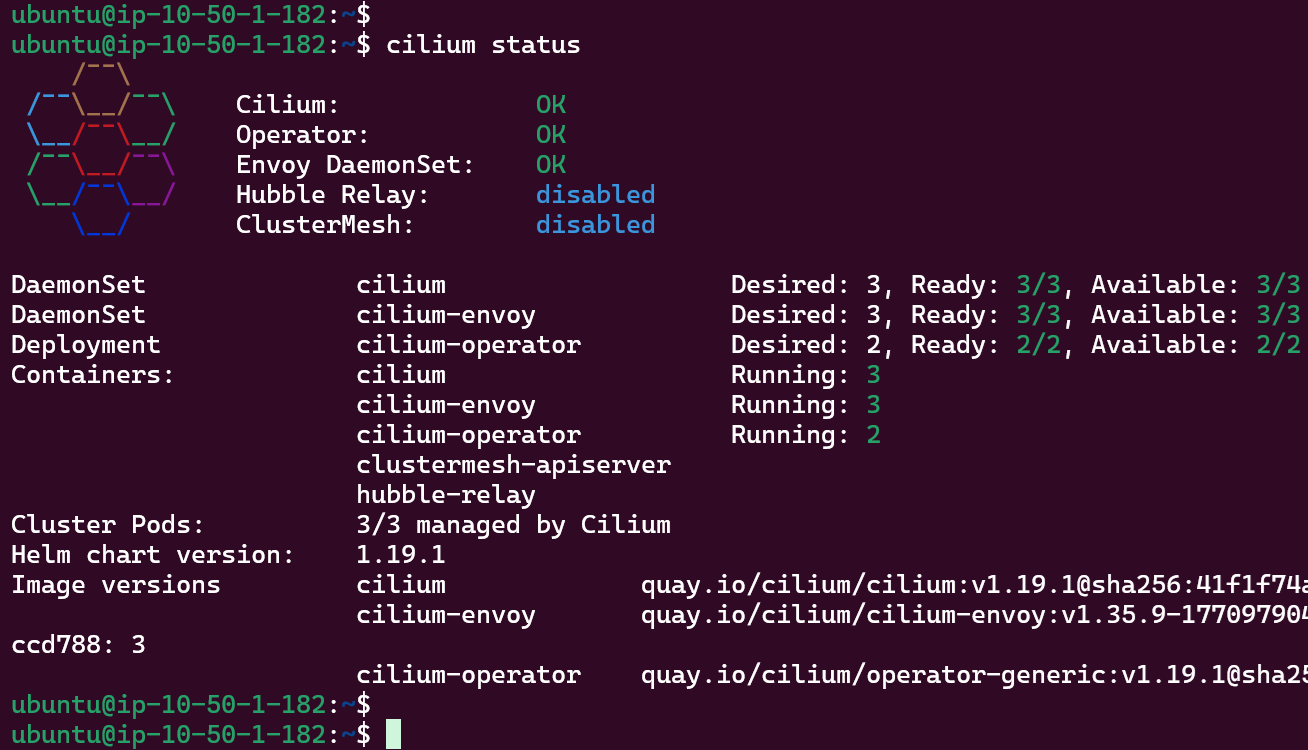
Run the following commands to verify the Cilium installation:
					kubectl -n kube-system get pods -l k8s-app=cilium
kubectl -n kube-system get pods -l name=cilium-operator
Let’s double-check that Kube-Proxy has been replaced by Cilium:
					kubectl -n kube-system exec ds/cilium -- cilium status --verbose | grep -i KubeProxyReplacement || true
kubectl -n kube-system get pods | grep kube-proxy || echo "No kube-proxy pods"
Kube-Proxy Replacement Verification
This confirms that kube-proxy has been successfully removed and Cilium’s eBPF data plane is now providing Service load balancing for ClusterIP and NodePort traffic on the Kind cluster.
All the Nodes are now “Ready”:
Nodes "Ready" status
Deploy Test Nginx App
Now we can deploy a simple nginx application and expose it via NodePort. Thanks to the port mappings in Kind, traffic will flow from the EC2 host’s port 80 into the NodePort inside the cluster.
Cilium’s eBPF datapath will now handle all load-balancing for this Service instead of kube‑proxy.
Test #1 - HTTP Access from Outside
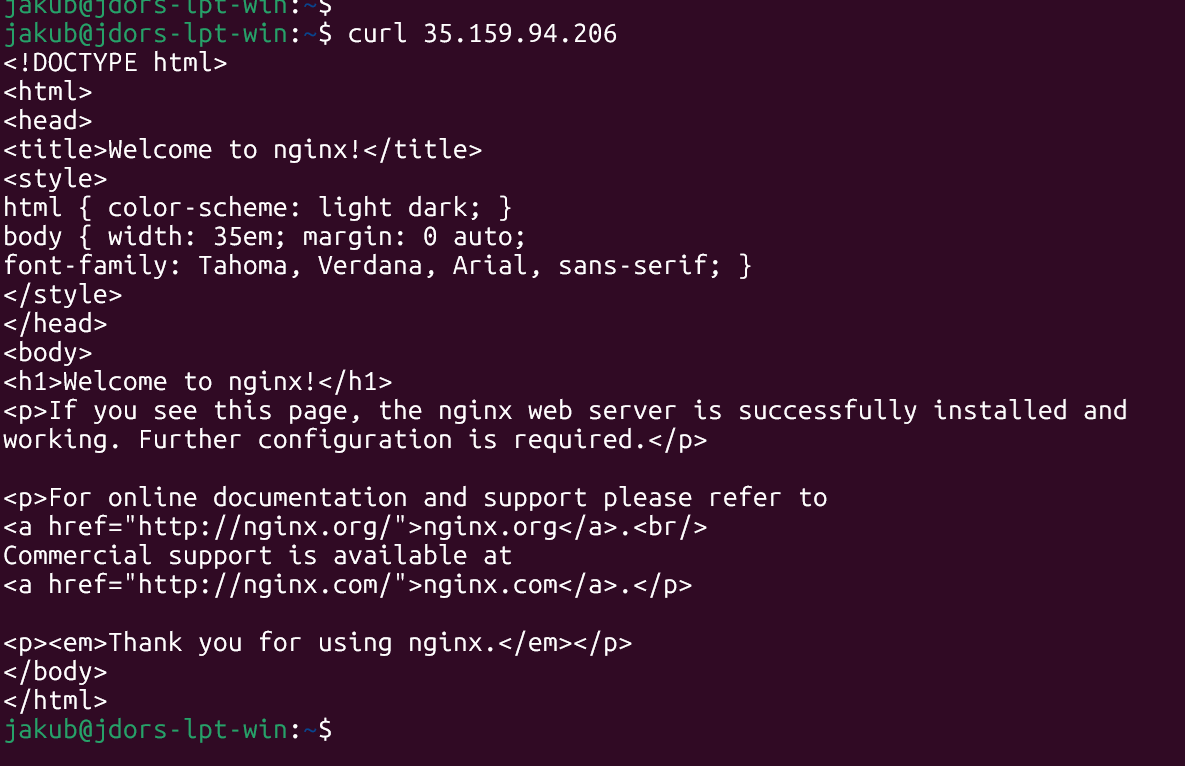
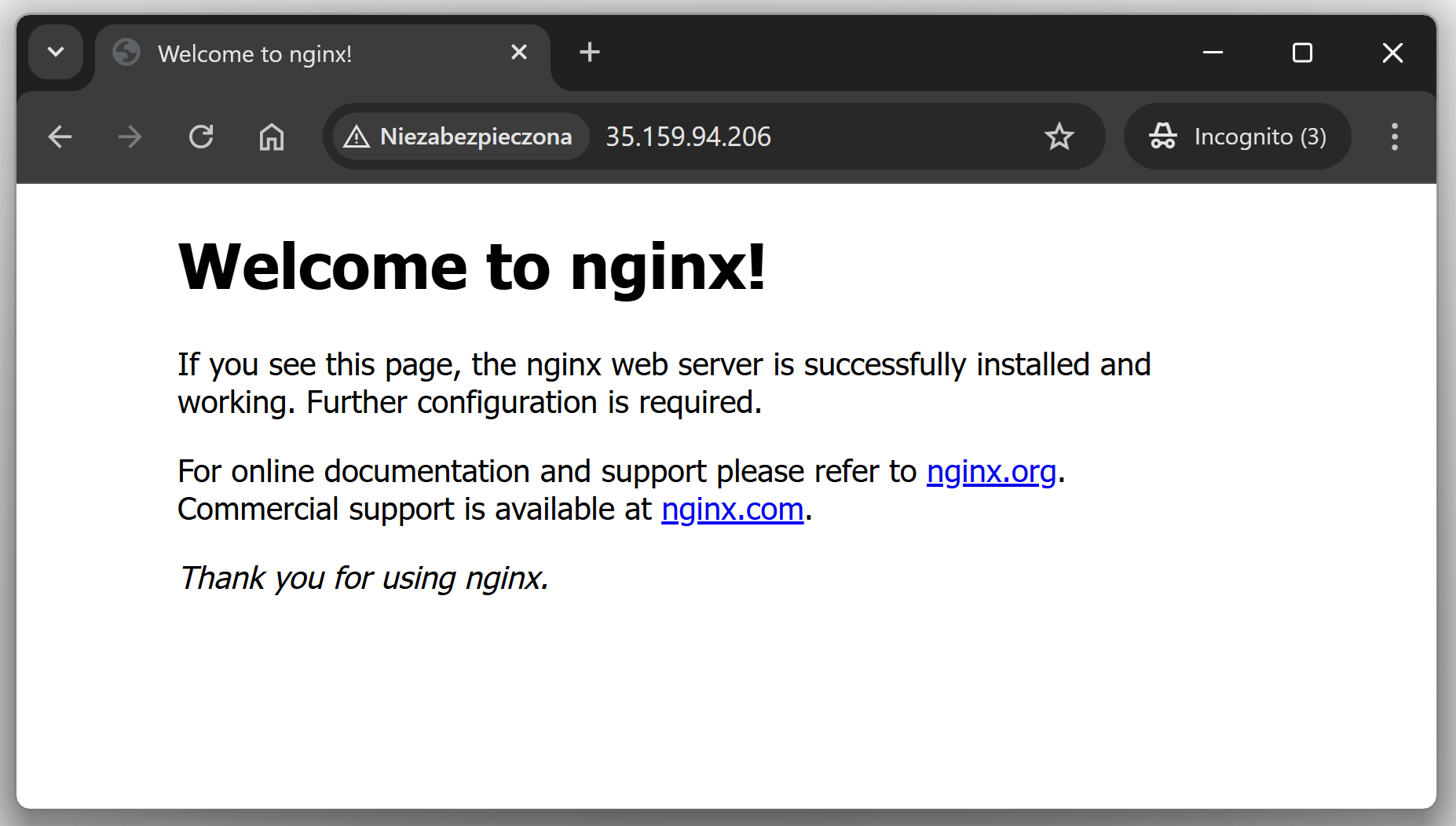
Because the Kind control-plane node exposes container port 30080 as host port 80, and my EC2 Security Group allows inbound TCP 80 from my Public IP, I can simply curl the EC2 public IP or test in a browser:
Curl Test from Outside
Browser (HTTP) Test
Test #2 - Block HTTP with Cilium
To demonstrate that Cilium’s eBPF data plane is actually enforcing traffic policies, I created a simple CiliumNetworkPolicy that denies all ingress to the nginx pods in the demo namespace. File: cnp-nginx-deny.yaml
					apiVersion: cilium.io/v2
kind: CiliumNetworkPolicy
metadata:
  name: nginx-deny-all-ingress
  namespace: demo
spec:
  description: "Deny all ingress traffic to nginx pods in the demo namespace"
  endpointSelector:
    matchLabels:
      app: nginx
  ingress: []
Apply:
kubectl apply -f cnp-nginx-deny.yaml
Applying CiliumNetworkPolicy to block the incoming traffic
Verify the policy has been applied:
kubectl -n demo get ciliumnetworkpolicies
Cilium Network Policy has been applied
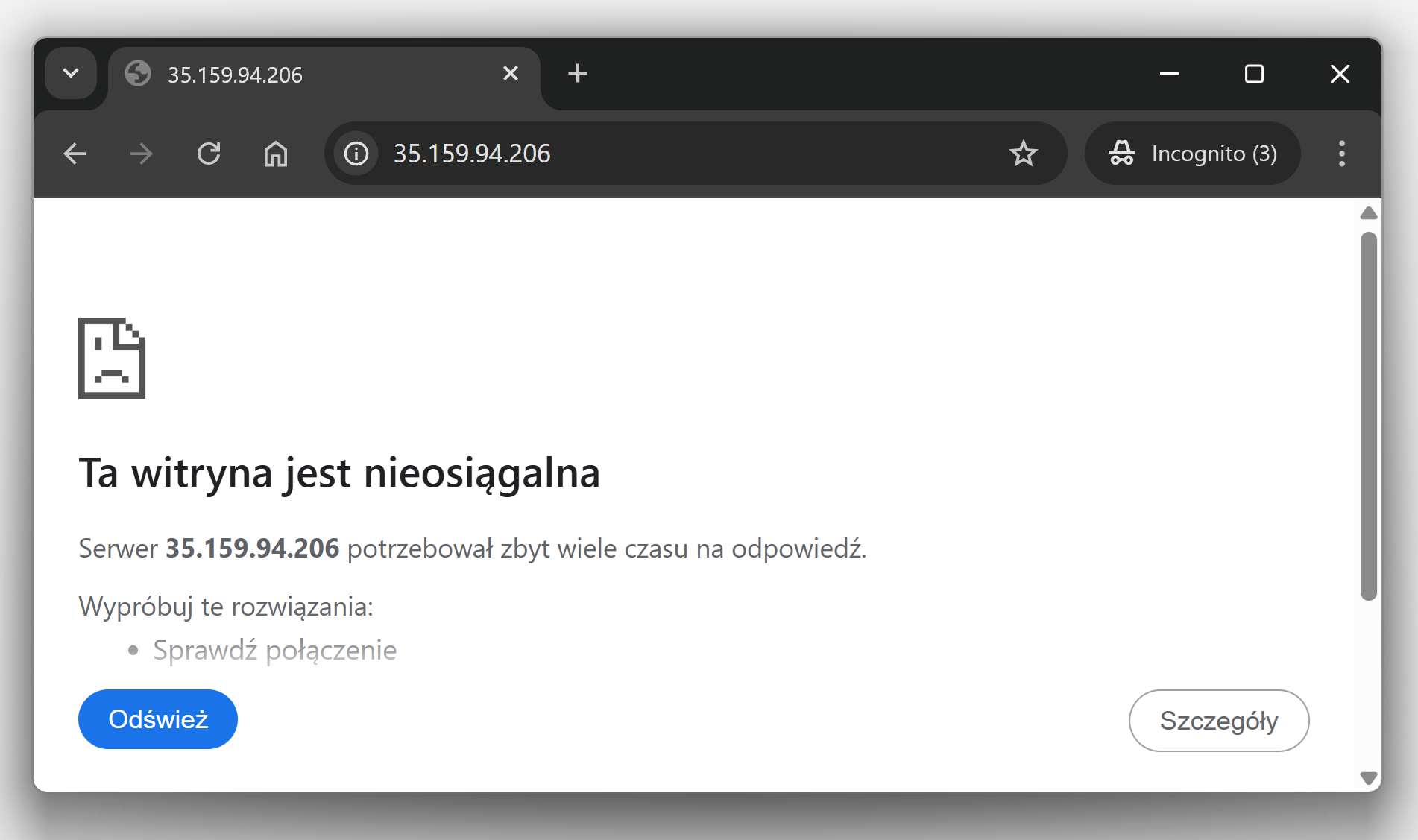
After applying this policy, the curl and “web-browser” test that previously reached nginx now times out, even though the NodePort Service and Kind port mappings are still configured. This shows that Cilium’s eBPF-based policy engine is blocking the traffic before it ever reaches the nginx pods.
Curl not working anymore
Web-browser Test
Conclusions
Cilium can fully replace kube‑proxy and handle all Kubernetes Service traffic: ClusterIP, NodePort, and our simulated LoadBalance, directly in eBPF, without relying on iptables. With Kind running on EC2, you get a safe lab where you can remove kube‑proxy, enable Cilium’s kube‑proxy replacement, and then prove it’s really in control by exposing nginx over NodePort and later blocking that same traffic with CiliumNetworkPolicies.